My First Week with Claude

After being introduced to what Claude code can do at a workshop meeting last week, I became suddenly interested in this Agentic AI. Not to say that I haven't used AI before, its been part of some of daily workflows now for a couple of years, as well as part of many tools that we use everyday without even knowing it. But I hadn't taken the time to really dive into all the capabilities that the agentic tools can offer. After all, I have my skills and I still like to flex them.
But when someone takes a 4 hour process we run daily and breaks it down into a report that took 20 minutes to conjure up with some AI prompting, you are suddenly humbled. It made me realize that even though I can code an entire app if I wanted, these agentic AI's can do all of that work and at a fraction of the time spent. Considering that, you'll want to start getting real friendly with them.
Anyways, lets set aside all the rhetoric and get into my first week with Claude and Claude Code.
The first app
My introduction really began that evening, laying in my hotel room bed and thinking about the challenge that they put toward me. Could I automate our process with just some AI prompting? I pulled out my phone downloaded Claude and began to chat with it like any other AI assistant app. I figured lets try this out and I gave it a somewhat half-assed prompt.
Build me an app that can run in a web browser that will reach out to the
Internet and perform some market research based on a company name I give
it.  It needs to compare the company based on Gartner metrics with its
peers.
I didn't expect much, but then, Claude responds with a detailed description of the application its going to build and its use case. It also elaborated on the request and had me specify some relevant particulars about the use case that were not immediately evident based on my prompt. Not only did it interpret the intent of what I was trying to accomplish, but it did so despite my half-assed prompting. It was able to infer missing data that I didn't immediately spell out. That showed me how powerful this thing could be if actually used properly.
After that initial prompting, Claude got to work building a small self-contained React app that could be run in the browser. In 2 minutes it was done and I had a single file React app that did what Claude said it would do. Fantastic.
Next Steps
I couldn't stop thinking about how I could make use of this tool, so, the day after I returned from my workshop I got started setting up Claude Code. And just like anything tech, there was plenty of simple tutorials on Youtube to step me through its setup. Frankly, though, if you have a technical background and have done any coding the getting started docs is really all you need. It's fairly easy to get started.
In fact, after installation, I even asked Claude how to get started learning AI with Claude. This is a tip I received from a coworker, ask the AI to teach you how to work with it. Claude responded with the top 3 things I should focus on and some links to do further research.
- Prompt Engineering
- Claude's capabilities & products
- Working with Projects & Context
After doing a little reading, I continued installing Claude Code into my VS Code and downloading the CLI tool.
Claude Code
A quick disclaimer Claude Code is not free, it does require a monthly subscription. The Pro license being the cheapest per month option at $20/month or $17/month if you pay annually. But at this point, I was willing to drop some dough and go for it. With the subscription paid for, all I had to do to get Claude Code running in VS Code was to login from VS Code to my Claude subscription and accept the permissions.
Now it was time to build something interesting.
I want to create an simple online image resizing tool that users can
upload pictures to, choose resizing options, and download the results.
It must have these features


1. Image resizing options as low as 10% and as high as 500%
2. Default resizing options for thumbnails
3. Option to download in .png, .jpg, or .webp format
4. It must use vanilla javascript
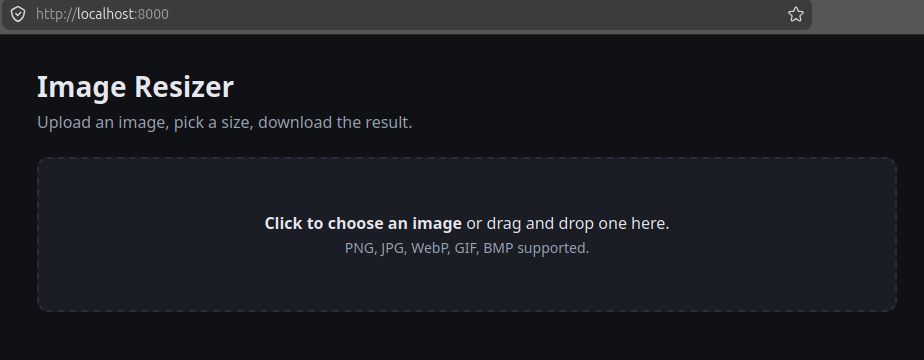
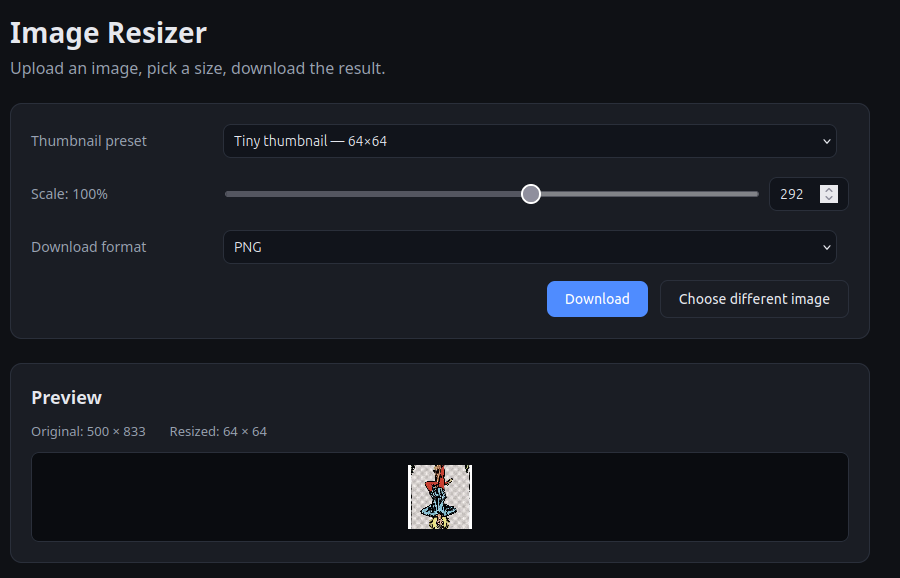
With that prompt, Claude got to work. It first checked the directory was empty, then created a basic web app with three files, index.html, style.css, and script.js. In about less than 1-2 minutes, it had completed the task and gave me instructions how I could run it with a simple python http server. The result was just as expected a simple online image resizing tool. Very cool!
Repo Improvements
Using Claude to improve your codebase is another one of the use cases I tried out. I continued learning more about the tool by using it to suggest edits and updates to the source code-base I use for all of these content articles. A simple query to ask for suggestions to better organize the codebase provided me back with 6 suggestions for better consistency in naming conventions, directory structure, and README edits.
CLAUDE.md
To speed up and improve Claude during its operations in this repository, I also used the /init command to create a CLAUDE.md file. This is a common recommendation as the file provides Claude sessions with an initial conceptual understanding of what's going on in the codebase. Basically like a well-designed README.md file that helps describe the codebase. This can help future Claude sessions by providing up-front context to the model that it otherwise would have had to burn tokens to develop during each session.
Shrimp Quest
With a little understanding and practice with Claude I was ready to create something a little more ambitious, a side-scrolling video game. So this time I took a little time building a basic prompt, nothing too fancy. Again, this is all trial run stuff to see what Claude could do.
After about 5 minutes I had the following prompt ready to go.
Let's build a side-scrolling video game. The game is pixel-based with 5
levels of increasing difficulty. Each level has its own color scheme and
natural scenery.

The main character is a shrimp.  By itself the shrimp is very weak, but
throughout the game you can pick up power up items and weapons that make
the shrimp very powerful.  Some weapons include:


- a sword
- a laser
- bombs
- nunchucks

powerup items include:
- health recovery over time
- super strength
- invincibility
- stealth

The game has enemies based on a sea theme including:

- crabs
- fish
- sharks
- poisonous coral
- and others

At the end of each level there is a boss animal that the shrimp has to battle.
I handed that over to Claude Code and waited. Claude took some time chewing on this one, so I was patient. After about 3 or 4 minutes Claude responded with the following which let me know it understood what I had asked.
This is a great project! I'll build a complete side-scrolling pixel art
game with HTML5 Canvas — no external libraries needed, runs directly in
browser. Let me scaffold the full structure now: 5 levels, all enemies,
all weapons/power-ups, and all 5 bosses.
And with that, Claude got to work on building out our vanilla javascript browser based game, Shrimp Quest. Claude Code began writing files, testing its code, and even fixing bugs it found all on its own. This pattern I came to find out later is a typical pattern that Claude Code uses to code. Write, Test, and Fix. Really amazing. In fact, if you want a more formal test driven development workflow, Claude Code can support that. Just specify the TDD process in CLAUDE.md.
I found a bug — Player.takeDamage has the wrong signature (enemies call
it with 3 args: amount, knockDir, game). Let me fix that:
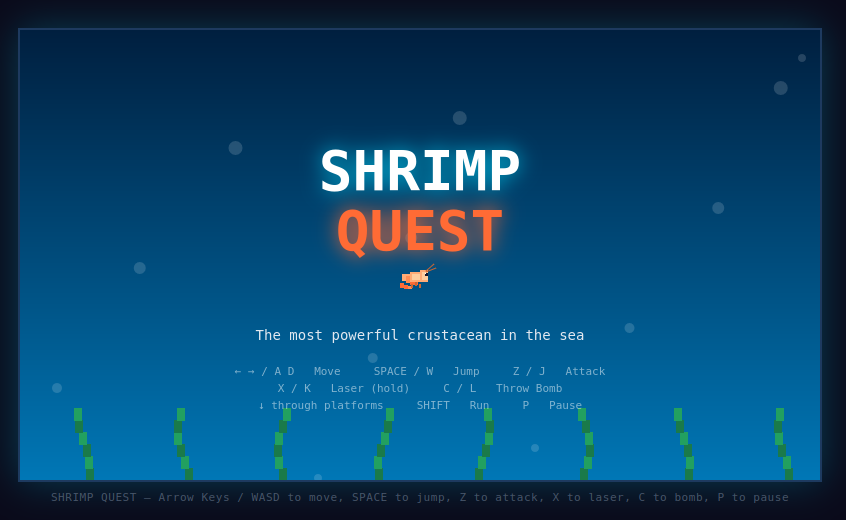
Claude took about 15 minutes to complete the tasks. Once it was done we had a fully working game. Perhaps this would have been faster if I was using Opus instead of Sonnet, but really the time it took was still ridiculously faster than I could have taken to create the same game. There were some things that required fixing but Claude was able to take care of them quickly with an additional prompt or two. The game was rough around the edges, but again I only took about 5 minutes to write the prompt.
Working with Claude on any project you can expect to go through some cycles of iteration. But since Claude takes care of doing the tedious work, you can focus on the overall direction of the project and fine tuning the real details.
And here it is: Shrimp Quest
Weeks end but more to come
Working with Claude so far has been an very interesting and new way to work on development projects. Agentic AI models like Claude have very powerful capabilities. This first week I created a lot with Claude but barely scratched the surface of what we can do. Most of the projects I did were small one off testers. There are so many more workflows that can be added to Claude that would enable an entire pipeline for a project.
Just to name a few:
- Custom branding
- Using skills for specialized knowledge
- Building with sub-agents and specialized tasks
- Branching and pushing to Github
- Executing CI/CD pipelines to test, QA, and deploy code
- Automated deployment
So many more things to work into the process. Claude has a lot of capability and I can see this the just start of many more things to come.